
What you need
- A PDF under 5 MiB (25 MiB on Pro), up to 100 pages
- A desktop browser (upload and download only on a phone)
- Text you can select — not a scan
- A free account, with a confirmed email, to download
Steps
- Open the PDF. Choose the file on the editor page, or drop it on the box.
- Check the grade. Select a block; the panel shows how cleanly it will change.
- Good match: the text can be replaced in place.
- Limited: editable, with a visible compromise such as substituted glyphs or recomputed spacing.
- Overlay only: new text can be drawn over the old, but the old cannot be cleanly covered.
- Unsupported: not changed at all, because doing so would produce something the file does not support or does not mean.
- Double-click and type. You change the line where it is; there is no text box to draw.
- Export PDF. Sign in, or create a free account and confirm your email, the first time. Your uploaded file stays as it was.
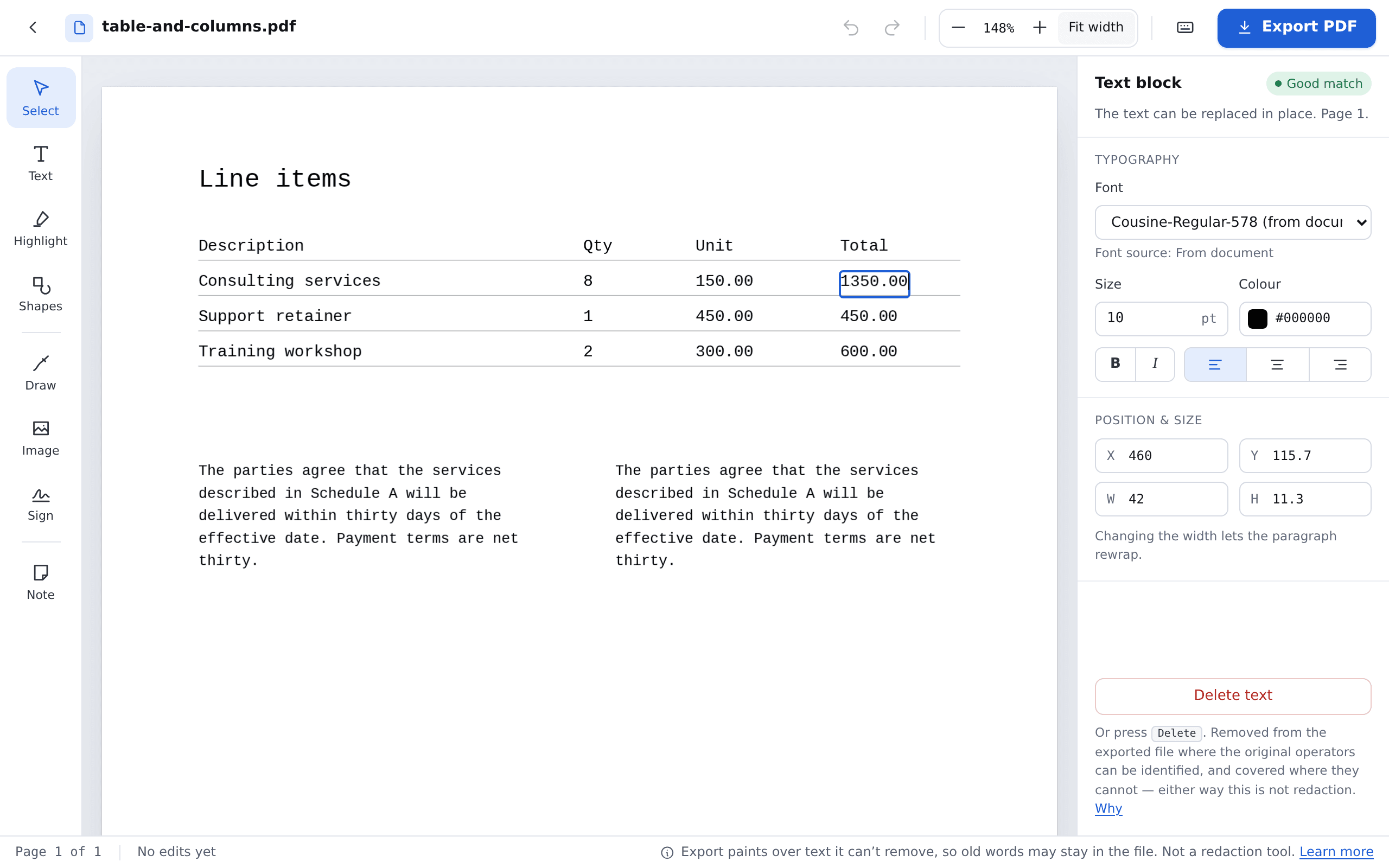
What happens to the font
- Letters already on the page keep the document’s own font, where the file allows.
- A missing letter usually comes from a look-alike with the same spacing.
- If the font cannot be reused, the whole changed line is set in a look-alike. Text marked Limited may still look slightly different. Why.
Related: fix a typo, change a date or number. Open the editor.